22. Exercise: Topic Notifications
L1 A22 Sending FCM Notifications To A Topic
Useful Links
Exercise
- Open
EggTimerFragment.ktand findTODO 3.3. Create a function namedsubscribe.to topic. You need get an instance ofFirebaseMessagingand callsubscibeToTopic()function with the topic name. You also need to add anaddOnCompleteListenerto get notified back from FCM on if your subscription is succeeded or failed.
// EggTimerFragment.kt

   // TODO: Step 3.3 subscribe to breakfast topic
    private fun subscribeTopic() {
        // [START subscribe_topics]
        FirebaseMessaging.getInstance().subscribeToTopic(TOPIC)
            .addOnCompleteListener { task ->
                var msg = getString(R.string.message_subscribed)
                if (!task.isSuccessful) {
                    msg = getString(R.string.message_subscribe_failed)
                }
                Toast.makeText(context, msg, Toast.LENGTH_SHORT).show()
            }
        // [END subscribe_topics]
}- You need to call this function to subscribe to a topic when the app starts. To do that, scroll up to
onCreateView()and add a call tosubscribeTopic().
// EggTimerFragment.kt

   // TODO: Step 3.4 call subscribe topics on start
    subscribeTopic()
return binding.root- To subscribe to the breakfast topic, run the app again. You should see a toast message saying “Subscribed to topic”
- Now you can test sending messages to a topic but before that let's run this on another emulator instance too so we can test with multiple devices.
- Open the Notifications composer and select New Notification.
- Set the notification Title and Text as before. This time instead of sending the message to a single device, click Topic under **Target **and enter ‘breakfast’ as the topic name.
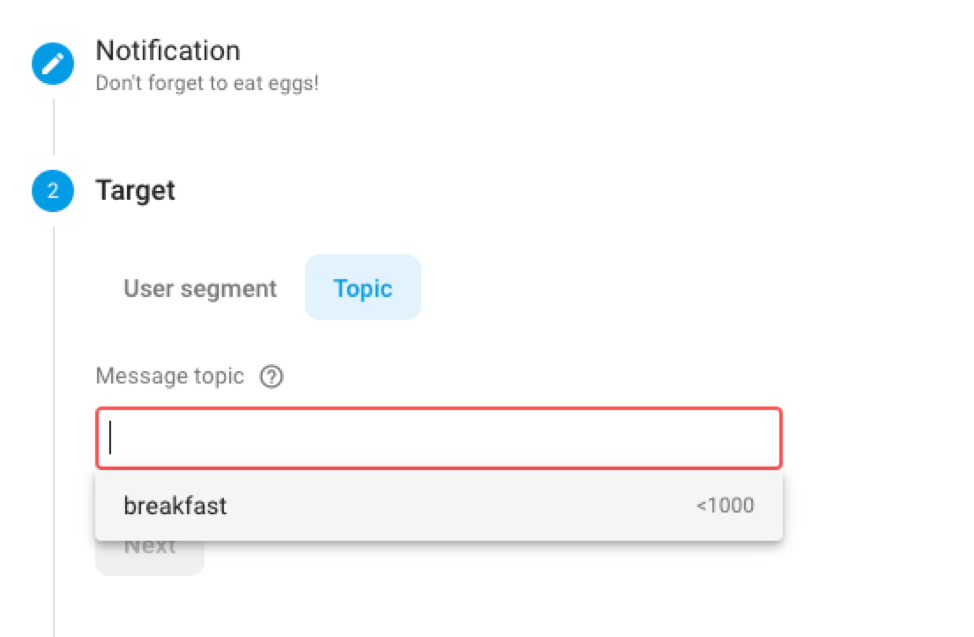
- Make sure your app is in the background. Next click Review and click Publish. You should see the notification is received on all devices that subscribed to this topic.
The app has more than one channel for notifications now. If you long click the app icon, select info and click notifications, you should see more than one notification channels. If you deselect the breakfast channel, your app will not receive any notifications sent over this channel. You can test this with notification composer but don’t forget to turn on notifications for this channel once you are done testing.
When using notifications, always keep in mind that users can turn off any notification channel at any time.